Back in December, during PGConf.EU 2023 in Prague, we had a discussion about datacenter hosting. Someone brought up Microsoft’s underwater datacenter experiment from a few years ago. And then someone else asked the obvious question: is it possible to run a datacenter in a shipping container using only Raspberry Pi computers.
At first glance, this might seem impractical. But is it really? Let’s crunch the numbers and find out!
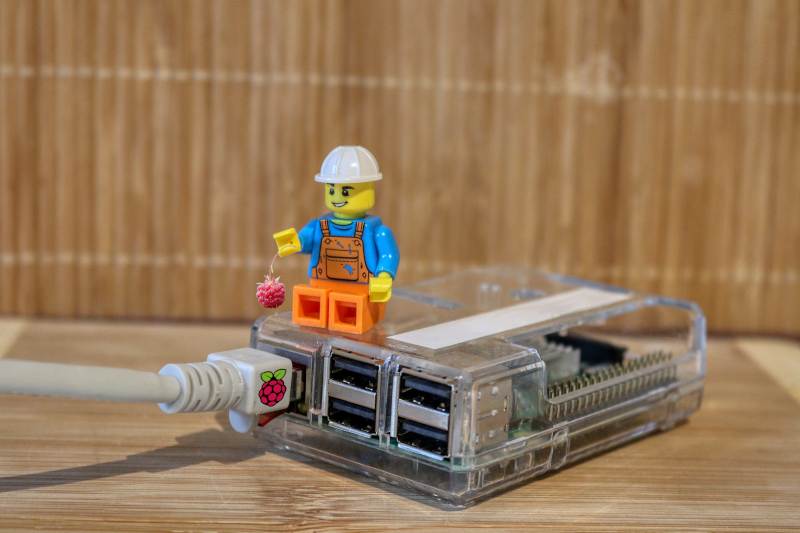
Raspberry Pi
First we need to determine the size of a Raspberry. The all new Raspberry Pi 5 measures 86 mm in length, width of 56 mm and height of 16 mm. Add to this the small detail that a power and network cable need to be connected. A quick check with a ruler indicates that approximately 45 mm of extra space is required on the long and wide sides to avoid twisting and damaging the cables.
The Pi 5 is passively cooled, and requires an additional heat sink - along with some space for airflow. Add 10 mm in height. This is necessary, after all a datacenter is only useful if it’s not idle but the “servers” are humming along.
With these considerations, the total dimensions for one Pi 5 are 131 mm x 101 mm x 26 mm. The price is about $80, plus $5 for the heat sink. Power consumption is about 15 W, assuming no downstream USB devices are connected.
Container
Intermodal containers, commonly referred to as “shipping containers” or “ISO containers”, come in various sizes. Most of these containers are classified as “dry freight" or “general purpose” containers, as defined in ISO 668, Series 1.

The internal dimensions of a standard container are: 11,998 mm (11.9 m) long, 2,330 mm (2.3 m) width and 2,261 mm (2.2 m) height. For the purpose of this experiment, I am only considering the internal dimensions.
If you sink the container into water for cooling: uh it’s not waterproof.
Raspberry Pi, a lot of them
These container dimensions allow us to stack approximately 179,998 Raspberry Pi devices in a single container, assuming no additional space is required for other components. There is sufficient space between the Raspberry Pi devices for wiring network and power cables.
The setup consists of 91 rows in the length, 23 rows in the width, and 86 Raspberry Pi stacked vertically. 91 * 23 * 86 = 179,998 units.
Under load, this installation will draw around 2,868 kW (or 2.9 MW) of power.
The cost for the Raspberry Pi 5 alone for this setup will be about $15.2M. But I’m sure if one buys 180k Pi they will come with a steep discount. Cost for the container varies wildly. Additional costs like housing, connectivity, and security are not taken into account.
What about the network
A datacenter is not very useful without a network, which means every Raspberry Pi must be connected to a switchport. Which turns out to be a major problem by itself if there are 180k network ports required.
But let’s start with the switches. After some research, I settled on the Arista 7020TR-48. It’s 48 ports, fits in a standard 1U size, and typically draws about 105 W.
Switches should be placed in racks, not stacked directly on top of each other. This allows air flow for cooling, holds the switches in place, and avoids crushing damage from the weight of the devices. After some more research, I chose the 45u 2-Post Relay Rack racks. These fit into the height of the container (2137 mm < 2261 mm), and allow for 4 racks in one row. This type of rack is open, I need to allow for cabling space in the back. The switch is 401 mm in depth, let’s go with 500 mm.
Each rack with switches requires a top-of-the-rack switch which connects the switches in the rack, and connects the rack with other racks. 44 of the 45 switches are used to connect Raspberry Pi, one switch is used to connect all the switches.
This config provides 1936 network ports per rack, or 7744 ports per row. Power consumption is ~4,8 kW per rack, or 18,9 kW per row. The remaining 214 mm of space can be used for cabling.
Now the usable size in the container is limited, installing rows with switches will reduce the available space for Raspberry Pi. By how much?
Doing the switch math
The sweet spot configuration is between 11 and 12 rows of racks with switches.
11 rows provide 85,184 switch ports by using 1980 switches, and this configuration fits 96,992 Raspberry Pi in the container. Almost enough.
12 rows provide 92,928 switch ports by using 2160 switches, and fit 89,010 Raspberry Pi. Bit of an oversubscription here.
The entire setup draws around 1.6 MW of power, needs ~100k network cables, ~100k power cables for the Raspberry Pi, and ~2,200 power cables for the switches.
And 12 racks with switches occupy half the available space in the container.
Kubernetes
Enter Kubernetes. As of version 1.3, the maximum number of nodes (physical devices) is 5000 per cluster.

To manage all the Raspberry Pi devices in this data center, approximately 18 Kubernetes clusters are required.
Or find another way to provide the available hardware for the business.
Hadoop
Which brings us to Hadoop. This platform is originally based on a Google Paper “MapReduce: Simplified Data Processing on Large Clusters” from 2003, and work done in Yahoo! around 2006 for the Hadoop File System (HDFS).
The memory usage in the Namenode depends on the number of blocks, and the rule of thumb is 1 million blocks require 1 GB RAM. A Raspberry Pi 5 has a maximum of 8 GB RAM, which limits a cluster to about 8 million blocks in HDFS. Multiple Namenodes are possible, and necessary in order to scale the cluster up to many Raspberry Pi systems.
The largest Hadoop installations have several thousand machines. Information about larger clusters can’t be found. Running a Hadoop cluster on all Raspberry Pi devices at once is an operational challenge.
Wi-Fi
Why not use Wi-Fi instead of thousands of switches and cables, you ask?
The entire installation is housed inside a steel container, and the walls act as shields. This means that any Wi-Fi signal sent inside the container is reflected and bounced around multiple times, causing significant interference.

In addition, the available bandwidth and number of connected devices is not nearly enough. While the exact number of devices varies by hardware vendor, the 802.11ax (Wi-Fi 6) standard theoretically supports up to 256 devices. However, in practice, this number is lower. Inside the container, it is not feasible to run more than 2 or 3 access points effectively.
Cooling
This article does not account for cooling, as it is typically provided externally in a data center. However, here is a quick estimate for the required cooling:

A single Raspberry Pi consumes about 15 W and produces approximately 51 BTU/h, requiring 0.015 kW for cooling.
All Raspberry Pi devices produce ~4,56 million BTU/h, requiring ~1,4 MW for cooling.
The switches add another 774 thousand BTU/h, requiring ~230 kW for cooling.
In total, this amounts to 5,4 million BTU/h, or ~1,630 kW, or 1,6 MW.
Summary
At this point it becomes abundantly clear that while the idea is appealing, technically it is not feasible to house that many Raspberry Pi in a shipping container, and operate a data center solely with these devices.
There are no known installations which operate such a large number of devices in a single cluster.
A number of open questions remain unanswered: how to connect all the Raspberry Pi to power supplies, how to connect the switches to power supply, how to cool the container and ensure the airflow for cooled air is working. The high density in the container is definitely a problem.
And let’s not talk about replacing broken hardware somewhere in the container.
Thank you
I’d like to thank (in alphabetical order): Harald Wagener, Jan Walzer, Kevin Honka, Kristian Köhntopp and Ralf Ertzinger for their help with this article, and for pointing out crucial details.
Data
Here is a link to the calculations, in case you want to have a look.
Images
Images in this blog posting are based on the following images:
- Container on crane: brownie hsu from Pixabay
- Raspberry with Lego: Alexander Fox from Pixabay
- Container into skies: Markus Distelrath from Pixabay
- Wi-Fi free zone: nneem from Pixabay
- Fan: Christos Giakkas from Pixabay
Comments
With an account on the Fediverse or Mastodon, you can respond to this post. Known replies are displayed below:
Note: This will load data from mastodon.social.
Learn how this is implemented here.
Share: