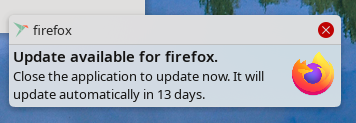
If you are running Ubuntu and using the Firefox browser, you may have seen a notification indicating that an update is available for “firefox”.
Here’s what this means and how to address it.
The Ubuntu Linux distribution is based on Debian, but got it’s own package format for third-party applications. It’s called Snap.
What is Snap
The application runs inside a virtual container, with limited and gated access to the host resources. The container package also brings most of it’s required dependencies, making it easier for developers to provide a software package without the need to support many different host system versions.
Occasionally this causes it’s own set of problems.
The Snap container format is developed by Canonical, and as of now only used on Ubuntu. Some other distributions support installing Snap packages, but it’s not their target platform. Other common container formats for applications are Flatpak and AppImage, which both are supported on a wider range of distributions.
When does the notification appear
Snap checks daily for new updates, but doesn’t install them right away. The update requires an application restart, and in doing so, this will kill the application.
The notification will nag for a couple of days, claiming that eventually the application will force restarted.
How to update the application
There are two ways: command line, and the Ubuntu Software Center (package ubuntu-software under Gnome). In addition, when you close the application (here: Firefox) it will automatically be updated.
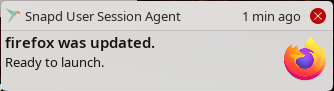
When using the commandline, it is required to run the program as root, using sudo:
| |
Here the firefox application (the package name is written in lower case) was updated, and then restarted.
Show available updates
By running snap refresh with the --list option, no update is installed. Instead the list of available updates is shown:
| |
Let’s see what will be updated:
| |
Run the update:
| |
Check again:
| |
And see a list of all installed Snap packages:
| |
Summary
The Ubuntu Snap upgrade is nagging to restart applications. One has to either close the application, or run snap refresh.
Comments
With an account on the Fediverse or Mastodon, you can respond to this post. Known replies are displayed below:
Note: This will load data from mastodon.social.
Learn how this is implemented here.
Share: