I’m using the app Simple Time Tracker to track a variety of times on my Android phone. Mostly work related.
Recently I discovered that the app can receive Android OS Intents. This allows me to track app usage time as well. Let’s demonstrate this on language learning apps.
I’m (still) using Duolingo - but we did cancel the family subscription by the end of the year. And I am using Ankidroid. I can join the usage of both apps into a single “Language Learning” time tracker.
The Apps
Obviously I need the Simple Time Tracker app (Play Store, GitHub repository).
I also need the Tasker app (Play Store), but that’s a non-issue as I am already using Tasker for other things on my phone. Tasker is capable of sending Intents to other apps. That is the Android way to send a request for a certain action, as example “take a picture” or “play a video”.
Tasker is a very powerful tool which allows the automation of many tasks on an Android phone. For me it manages the “display on time” and brightness for quite a number of apps: for some apps I want an extended time until the display turns off, for other apps I want to reduce the brightness to save energy. It also sets the default volume when I start certain apps. Just to name a few examples.
And then there is Ankidroid, a language learning app which provides hundreds, if not thousands of learning card sets for free - thanks to the many volunteers who create the decks. And Duolingo, the language learning app which once was good, and now sunk deep - too deep - into the everything AI rabbit hole.
Setup Simple Time Tracker
In Simple Time Tracker, create a new activity you want to track:

Remember the name, we will need that in a moment. In my case I choose “Spanish”.
Setup Tasker
In Tasker, create a new profile. Maybe name it “Track Language Learning” …

As condition when the profile is activated select “Application”, and select your language learning apps. Ankidroid and Duolingo in my case.
Add a start task: “Send Intent”.
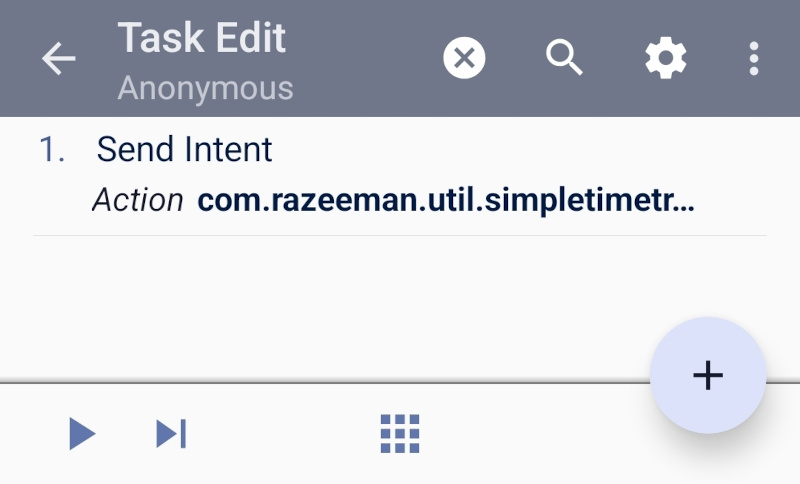
Start Task
As “Action”, add: com.razeeman.util.simpletimetracker.ACTION_START_ACTIVITY.
As “Extra” (the first Extra field), add extra_activity_name : Spanish. The Spanish is the tracker name I created in Simple Time Tracker.
Leave the other “Extra” fields empty.
As “Package”, add: com.razeeman.util.simpletimetracker.

Exit Task
Add an Exit task: long-press on the start task (the one with the green arrow), then select “Add Exit Task”.
As “Action”, add: com.razeeman.util.simpletimetracker.ACTION_STOP_ACTIVITY.
As “Extra” (the first Extra field), add extra_activity_name : Spanish.
As “Package”, add: com.razeeman.util.simpletimetracker.
Save everything: click on the ✓ in the top row.
Test it
Start one of your language learning apps, and check Simple Time Tracker if the activity is started and stopped.

Debugging
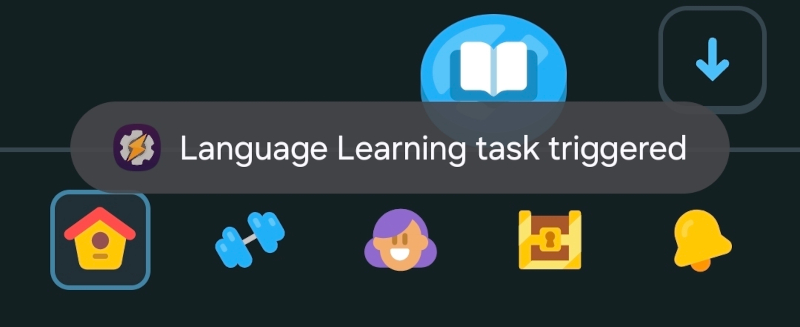
In Tasker you can add a “Flash” task, which will show a short message on the screen. This allows you to see if Tasker did recognize starting the app.

Fazit
Using Tasker in combination with Simple Time Tracker it is easy to track the app usage time for a variety and group of apps on an Android phone.
Comments
With an account on the Fediverse or Mastodon, you can respond to this post. Known replies are displayed below:
Note: This will load data from mastodon.social.
Learn how this is implemented here.
Share: