My own Home Assistant State Machine for Dryer and Washing Machine (now retired)
Posted by
ads
on
Wednesday, 2026-10-14 Posted in [Home-Assistant]
When I first installed Home Assistant, I wasn’t aware of the Home Assistant Community Store (HACS) with custom-made integrations. And because the first thing I automated at home was a notification for the Washing Machine and the Dryer, this is also the first thing I ported over when migrating from openHAB to Home Assistant.
In openHAB, I already had a state machine implemented. Over time, I decided to move away from openHAB, and looked at Home Assistant.
This blog posting documents the state machine before replacing it with Appliance Tracker for Home Assistant.
Current State
I have two power plugs, which measure power consumption for the washing machine and the dryer. Both are DECT devices, connected to the Fritz!Box. That works, and I haven’t found a reason to replace the two devices - even though all later power plugs are Zigbee devices.
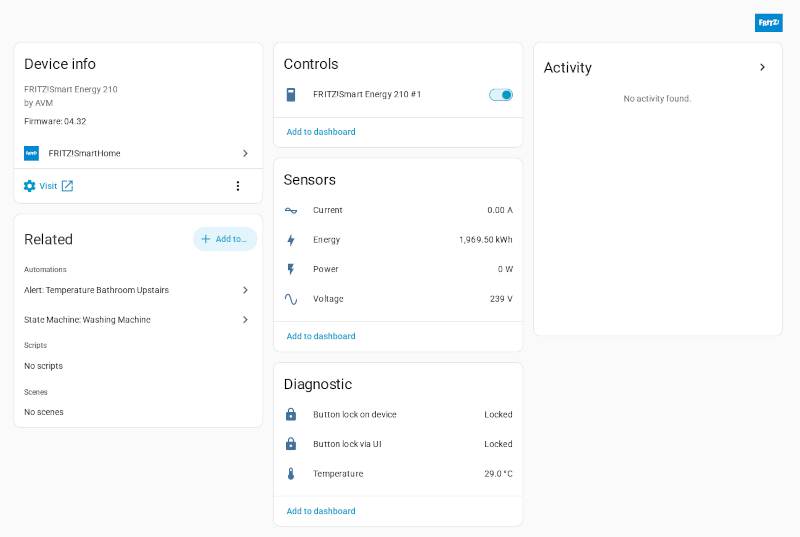
Fritz!SmartEnergy DECT Power Plug in Home Assistant
State Machine for the Washing Machine
Both washing machine and dryer have their own state machine.
alias:State Machine Washing Machinedescription:>- Updates the state of the washing machine (Off, Standby, Active, Finished)
based on the power consumption from sensor.fritz_smart_energy_210_1_power.triggers:- entity_id:sensor.fritz_smart_energy_210_1_powerabove:'0.0'id:standbytrigger:numeric_state- entity_id:sensor.fritz_smart_energy_210_1_powerbelow:'0.1'id:'off'trigger:numeric_state- entity_id:sensor.fritz_smart_energy_210_1_powerabove:'8.0'id:activetrigger:numeric_state- entity_id:sensor.fritz_smart_energy_210_1_powerbelow:'8.0'id:finishedtrigger:numeric_stateconditions:[]actions:- choose:- conditions:- condition:triggerid:standby- condition:stateentity_id:input_select.washing_machine_statestate:'Off'sequence:- target:entity_id:input_select.washing_machine_statedata:option:Standbyaction:input_select.select_option- conditions:- condition:triggerid:activesequence:- target:entity_id:input_select.washing_machine_statedata:option:Activeaction:input_select.select_option- conditions:- condition:triggerid:finished- condition:stateentity_id:input_select.washing_machine_statestate:Activesequence:- target:entity_id:input_select.washing_machine_statedata:option:Finishedaction:input_select.select_option- conditions:- condition:triggerid:'off'sequence:- target:entity_id:input_select.washing_machine_statedata:option:'Off'action:input_select.select_optionmode:single
The sensor.fritz_smart_energy_210_1_power entity is the power socket, through the Fritz!Box integration.
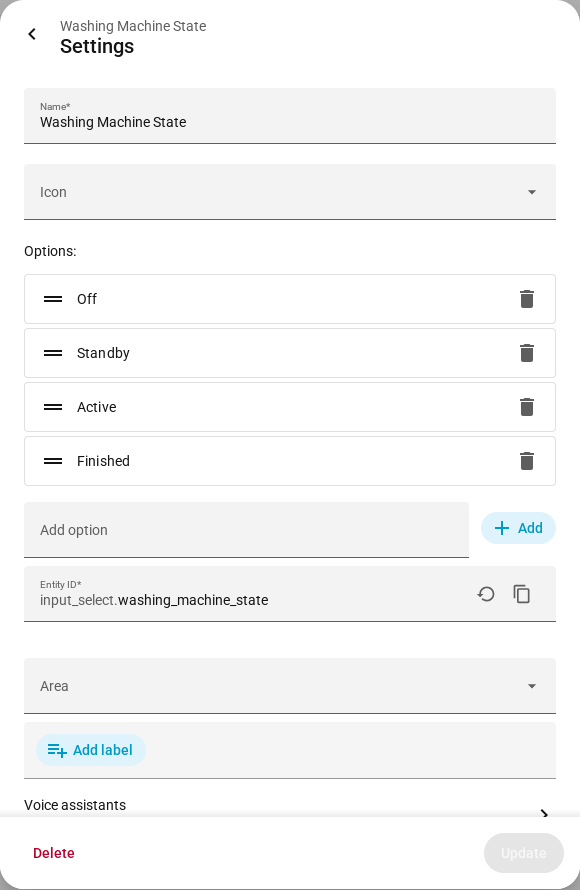
Each device also has an input_select as state storage, here the name is input_select.washing_machine_state. It can have four different values:
Off
Standby
Active
Finished
Screenshot of the input_select with the four possible states
Automations
The automations then trigger on a change in input_select.washing_machine_state, respective input_select.dryer_state.
State Machine for the Dryer
At some point we got a new dryer. It has a more “sophisticated” anti-wrinkle cycle. Which, in practice just means that the dryer will turn on more often after the main program finished. Which then caused more problems, because it more often looks like another drying run is going on. Here is the YAML for the automation:
alias:State Machine Dryerdescription:>- Updates the state of the dryer (Off, Standby, Active, Finished) based on the
power consumption from sensor.fritz_smart_energy_210_2_power. Handles
anti-crease cycles by requiring power to be high for a sustained period before
restarting a cycle.triggers:- entity_id:sensor.fritz_smart_energy_210_2_powertrigger:stateactions:- variables:power:'{{ trigger.to_state.state | float(0) }}'current_state:'{{ states(''input_select.dryer_state'') }}'- choose:- conditions:- condition:templatevalue_template:'{{ power < 0.2 }}'sequence:- target:entity_id:input_select.dryer_statedata:option:'Off'action:input_select.select_option- conditions:- condition:stateentity_id:input_select.dryer_statestate:'Off'sequence:- choose:- conditions:- condition:templatevalue_template:'{{ power >= 5.0 }}'sequence:- target:entity_id:input_select.dryer_statedata:option:Activeaction:input_select.select_option- conditions:- condition:templatevalue_template:'{{ power >= 0.2 }}'sequence:- target:entity_id:input_select.dryer_statedata:option:Standbyaction:input_select.select_option- conditions:- condition:stateentity_id:input_select.dryer_statestate:Standby- condition:templatevalue_template:'{{ power >= 5.0 }}'sequence:- target:entity_id:input_select.dryer_statedata:option:Activeaction:input_select.select_option- conditions:- condition:stateentity_id:input_select.dryer_statestate:Active- condition:templatevalue_template:'{{ power < 5.0 }}'sequence:- target:entity_id:input_select.dryer_statedata:option:Finishedaction:input_select.select_option- conditions:- condition:stateentity_id:input_select.dryer_statestate:Finish- condition:templatevalue_template:'{{ power > 150.0 }}'sequence:- target:entity_id:input_select.dryer_statedata:option:Activeaction:input_select.select_optionmode:restart
It already has a few more conditions, compared to the washing machine automation. That was also the point when I decided to replace this automation with a HACS integration.